You're using an "Internet Explorer" web browser that's no longer supported.
This website will not function correctly when using when using Internet Explorer,
so please upgrade to a modern web browser, like Edge, Chrome, or Firefox.
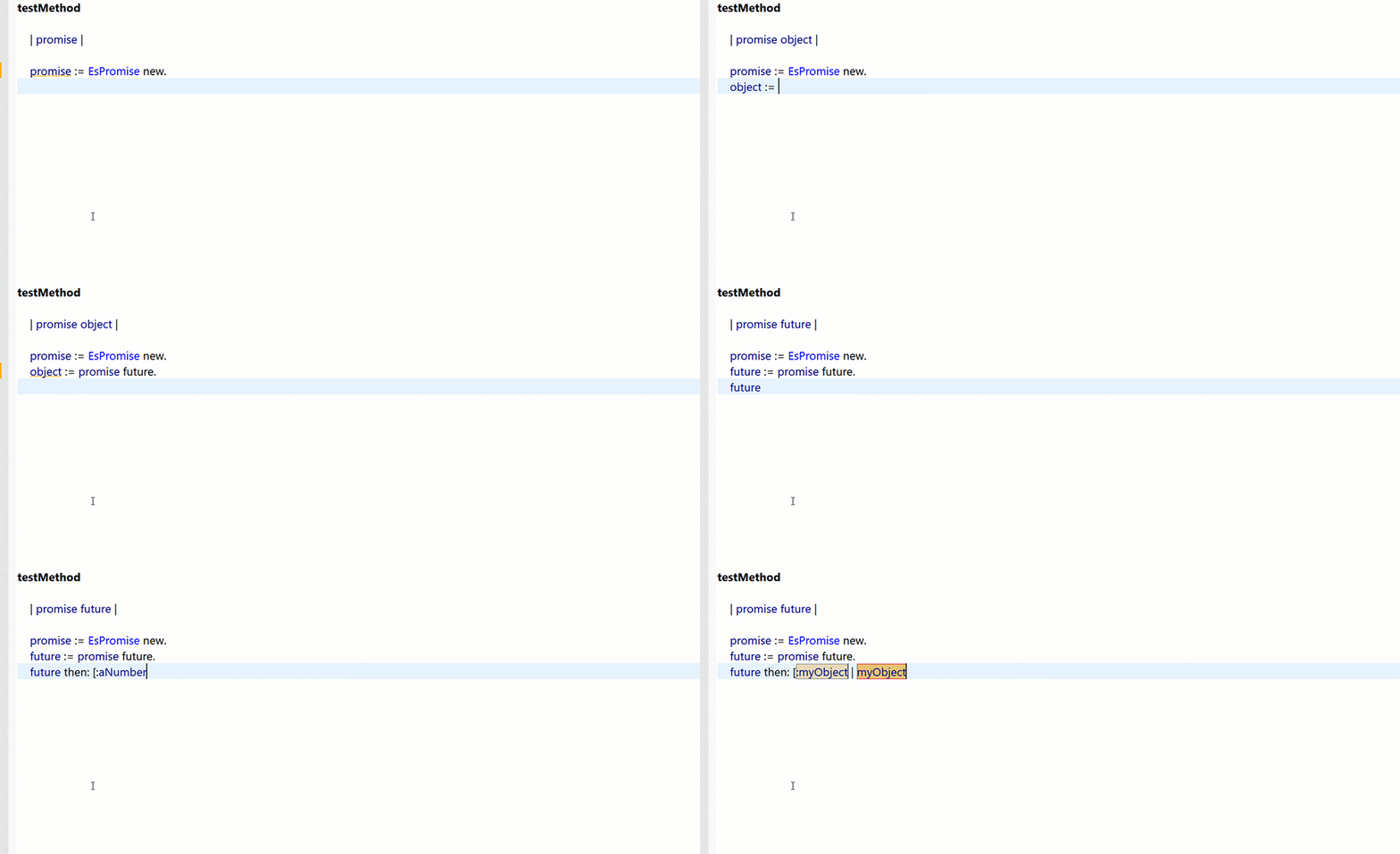
Real-time and lag free. The VAST IDE's tools speed up your workflow and reduce the likelihood of bugs making it to production.
Live refactoring tools further improve the process and keep you focused on the task at hand.
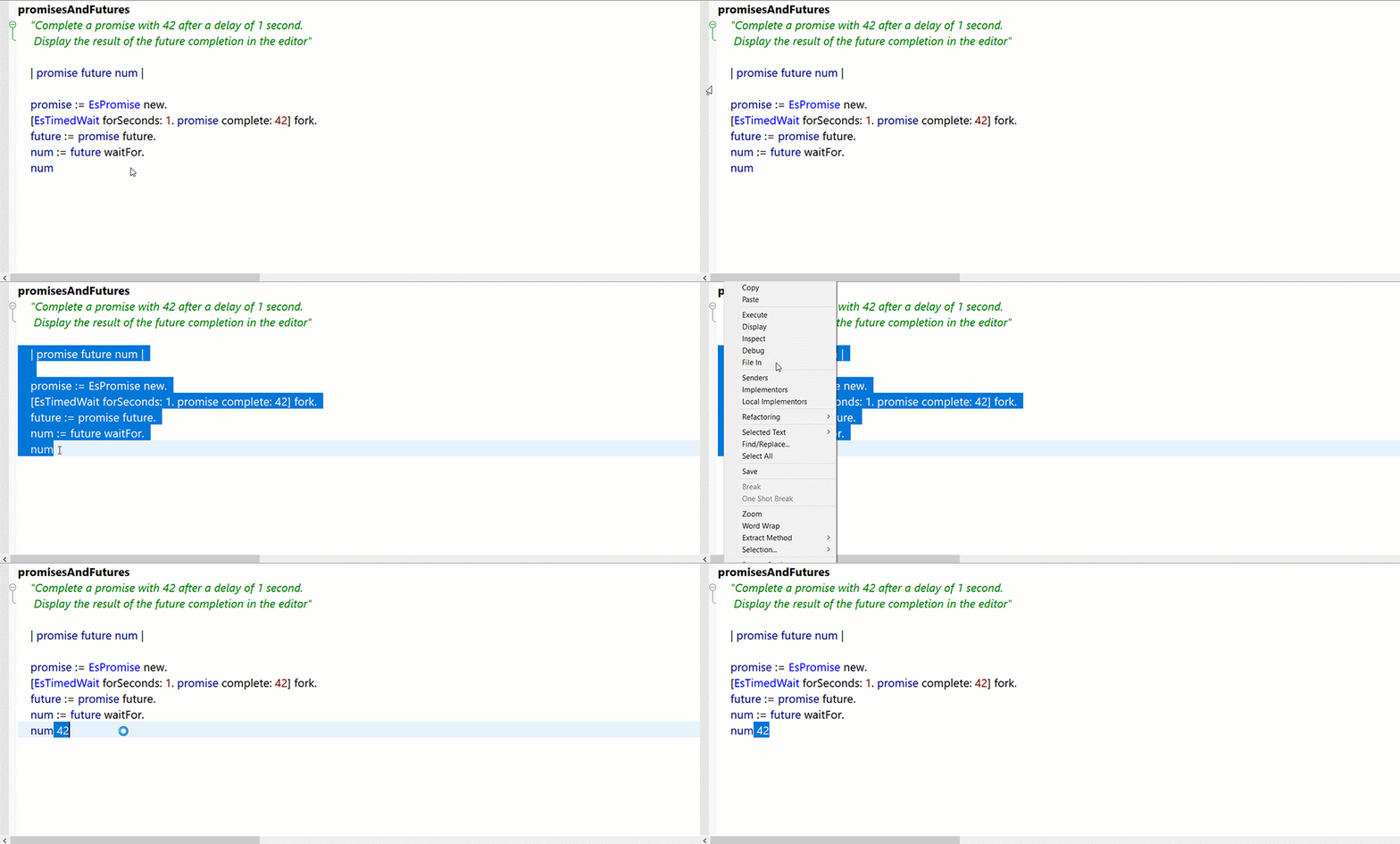
Asynchronous Programming
Creating complex asynchronous behaviors is easier with VAST's best-in-class futures/promises framework, plus asynchronous streams and zones, inspired by similar functionality from the Dart programming language.
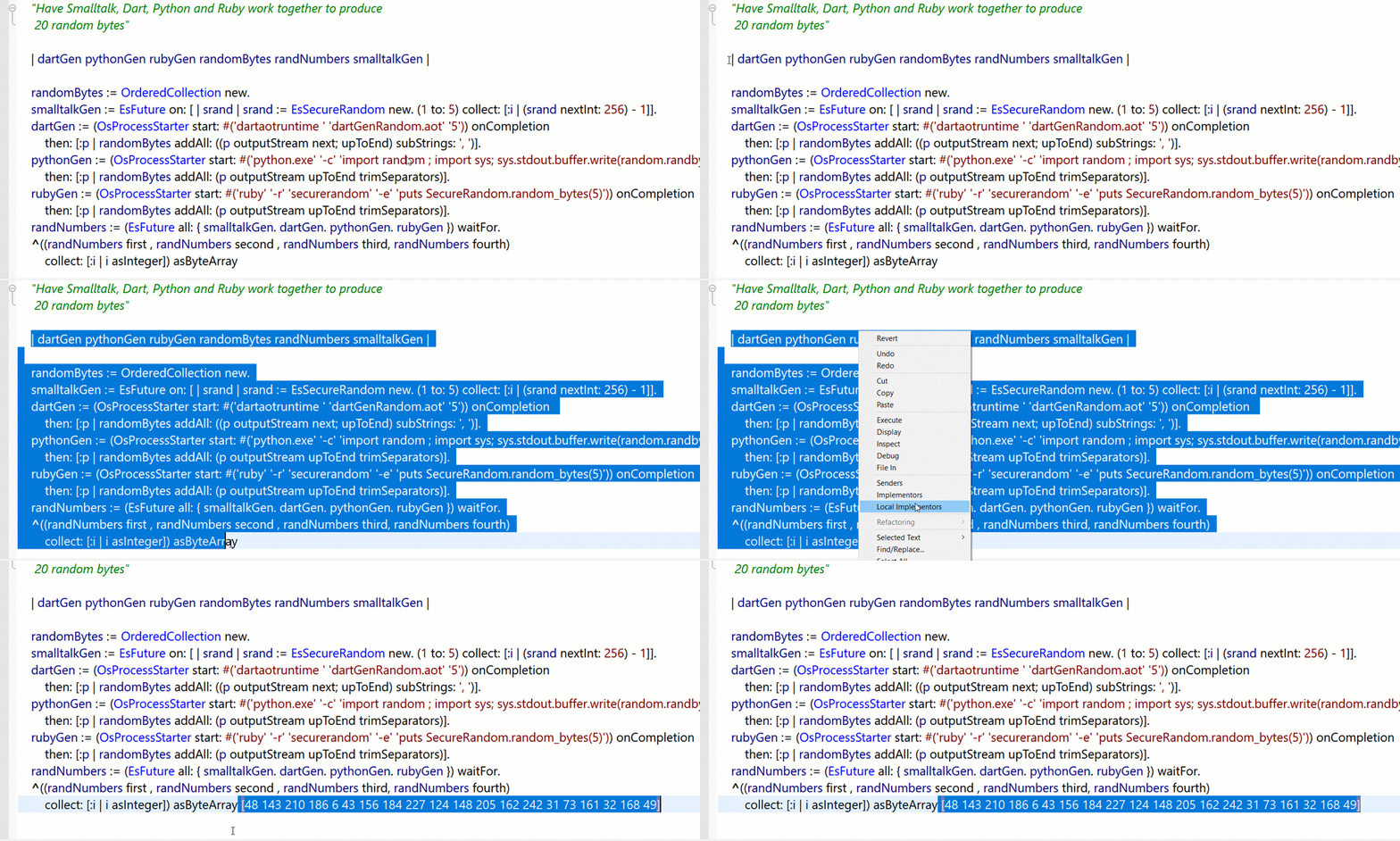
Multi-CPU Capable with FFI & OsProcess
Whether using native threads, or OS processes, take advantage of multiple processors by using VAST's multi-threaded foreign function interface (FFI) or our OsProcess framework.
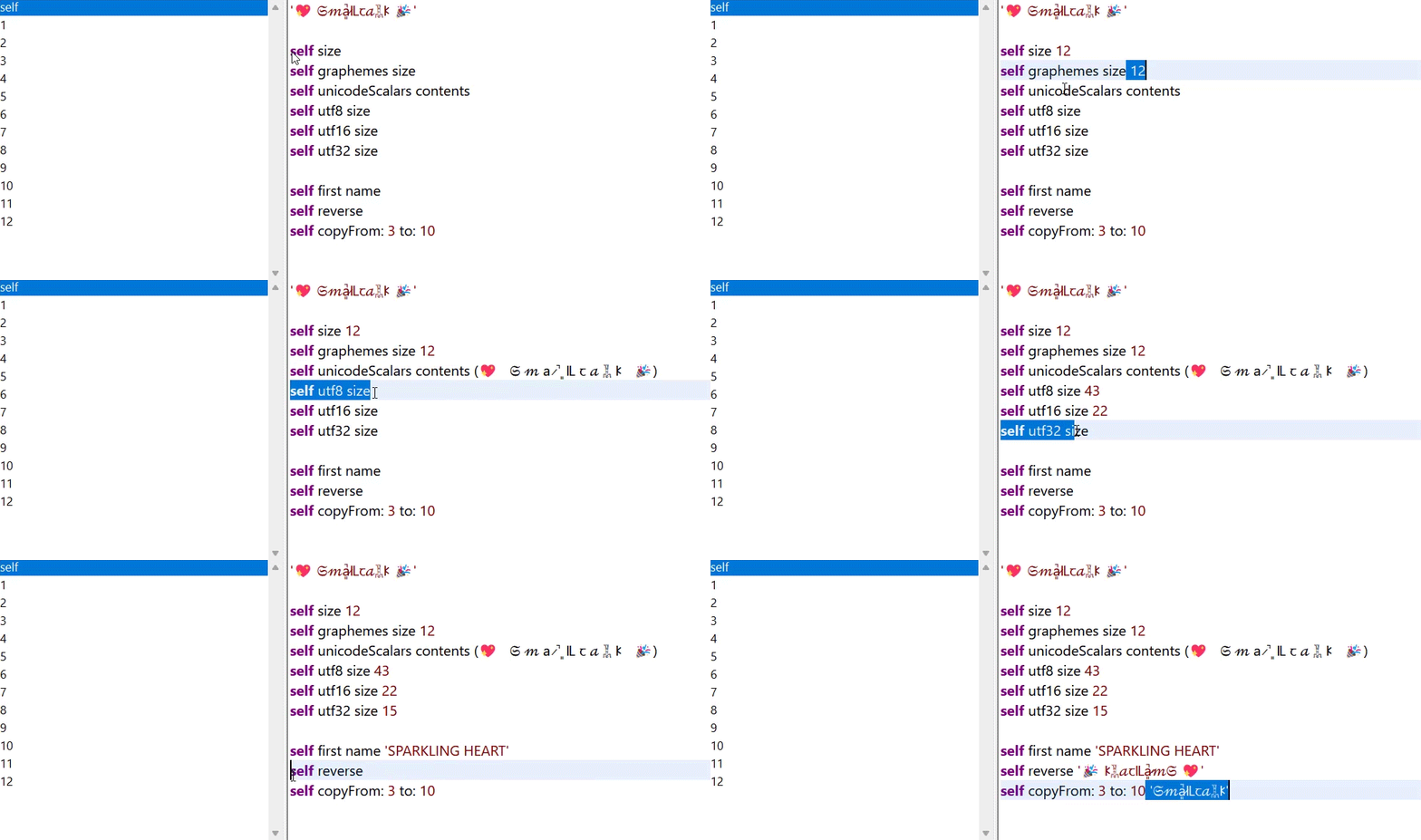
Advanced Unicode Capabilities
VAST brings a truly ergonomic Unicode experience to Smalltalk. We went beyond "basic" Unicode support, and instead designed an advanced implementation that focused on "Unicode Correctness" and performance.
Language & Runtime
LLVM Compiler
State-of-the-art virtual machine technology utilizing the well-known LLVM compiler infrastructure for fast just-in-time (JIT) compilation.
VisualAge Smalltalk Compatible
Compatible with IBM® VisualAge® Smalltalk enabling fast and easy migration and upgrades.
Native Interface Support
Native interface support provides platform-adapting object wrappers to facilitate the generation of native binding.
Multi-Architecture
Choose whichever processor architecture best suits your intended application or use case: Intel®/AMD® or ARM® on both Windows® and Linux®.
Asynchronous Calls
Bi-directionally communicate with other application threads both efficiently, and of course, safely too.
SIMD Optimizations
Usage of SIMD algorithms dramatically improve the speed of certain lower-level operations.
Core Libraries
OsProcess Framework
Use our consistent and cross-platform set of abstractions to accomplish object-oriented systems programming tasks with ease.
Futures/Promises Framework
A true asynchronous program experience is possible. Programming complex, task-centric behaviors has never been easier or more succinct. A+ spec compatible.
Asynchronous Streams
Gather data and/or events that can be used along with our futures/promises framework.
Asynchronous Zones
Effortlessly control, monitor, and share data between asynchronous activities within your program.
Foreign Function Interface (FFI)
Access external C language libraries to get even more functionality out of your VAST-based system.
Unicode Support Library
Work with all the world's languages, symbols, and emojis using the latest Unicode standard.
Rich Date/Time Interface
Access and manipulate historical date and time information in a timezone-aware interface. Uses the IANA Time Zone Database.
Integrated Compression
Unified compression API support for Zip, Zip64, Brotli, Lz4, Zstd, and Gzip for increased software performance and reduced memory footprints.
Logging Framework
Logging framework provides rich, customizable support for creating development time, runtime, and rolling logs, with the ability to log to a socket, a file, or memory.
Development Tools
Advanced Code Editing
A code editor for true polyglots supporting code highlighting in 25+ languages including C, C++, Python®, JavaScript®, Swift™, Go™, Rust™, etc. with fully customizable color theming and linting.
Development Browsers
Best-in-class debuggers, code management browsers, inspectors, a performance monitor, code reporting tools, unit testing browsers, and linters.
WYSIWYG GUI Builders
VAST has two GUI builders to help visually build your application: WindowBuilder Pro™ and Abt Parts. Choose whichever one works best for your workflow.
Code Completion Tools
As you're coding, these tools contextually analyze your code and provide the most appropriate suggestions.
VAST Environments
Smalltalk image manager and launcher to help efficiently handle multi-image workflows in VAST.
Real-time Code Analysis
Monitors code as you type, providing hints about errors, warnings, and optimization opportunities, plus user-defined analysis options.
Live Refactoring Tools
Realtime visual tooling helps expedite the restructuring of your code for better maintainability.
User Interface & Visuals
Hi DPI
Hi DPI support in Windows®-based environments provides crisp graphics on modern device screens.
Native Widgets
Native widgets provide a familiar look-and-feel for Windows and Linux® without the need to make platform dependent code.
Emulated Widgets
Most needs can be satisfied with native widgets, but emulated widgets help fill in the gaps and allow you to completely take control of the look and feel of your user interface.
Graphic Acceleration
DirectWrite and GPU acceleration are utilized within the editors on Windows.
Communications & Networking
Web Services Tools
A self-contained, modular framework for accessing and hosting Web Services with tools for creating and deploying them.
Server Smalltalk (SST)
SST is a flexible communications framework that is the foundation of many VAST protocol implementations including distributed garbage collection, logical processes, web services, HTTP, SMTP, and IMAP.
Network Protocol Support
Powerful HTTP/HTTPS, IMAP, SMTP, FTP/FTPS, IBM MQ series, MQTT, and LDAP/LDAPS clients are all included for superior connectivity with a powerful sockets API including full support for TCP/IP V4/V6 protocols.
External Interface Support
Support for JSON, XML, CSV, COM (OLE, ACTIVEX), and STON (Smalltalk Object Notation). STON provides a lightweight text-based, human-readable data interchange format for class-based languages.
Streamed HTTP Retrieval
Using our asynchronous streams functionality, retrieve large pieces of streamed HTTP content, and asynchronously process these large files in smaller pieces for improved efficiency.
MQTT Client
MQTT is a lightweight communication protocol that’s a close relative of IBM® MQSeries. Support for version 3, 3.11, and 5 protocols are included, and asynchronous streams are already integrated for easy consumption of publish/subscription updates.
Web Technologies
Integrated Web Technology
Inclusion of the Seaside web framework, REST, jQuery, AJAX, and several other web development technologies and tools will get your web project off the ground quickly.
WebView2
Microsoft® Edge’s WebView2 framework allows embedding web content into VAST native applications and building hybrid systems with bi-directional control.
Authentication and Authorization
Secure your applications with a comprehensive suite of tools including JSON Web Token (JWT) and JOSE framework for standard-compliant token creation and verification. Add single sign-on (SSO) using the included clients for OAuth2.0 and OpenID Connect (OIDC) protocols.
Parasol automated web browser testing
Automate your web application testing with the integrated Parasol framework, a powerful wrapper for the industry-standard Selenium tool. This feature allows you to write standard SUnit tests to verify web application behavior and provides seamless integration with the Seaside web development framework.
Databases
Relational DB Support
Use Oracle, DB2, PostgreSQL, SQLite database drivers (as well as ODBC) that take advantage of RDBMS (Relational Database Management Systems) with Unicode support.
Object Relational Mapping
Combine relational databases with our ORM (Object Relational Mapper): GLORP. With Unicode support.
Object-Oriented DB Support
Match the purely object-oriented approach of Smalltalk with a similar database structure. VAST is compatible with object-oriented databases, like GemStone/S.
Redis Client
Redis client with a modern Smalltalk API, enabling high-performance caching, messaging, and scalable data access. The client supports async execution, connection pooling, advanced Redis features, and secure SSL/TLS connections for production deployments.
Security
Object Oriented Wrapper
As part of our OpenSSL® 3.0 implementation, VAST has an high-level object oriented wrapper around OpenSSL that's easy to use, and backward compatible with previous versions of 0.9.8 through 1.1.x.
SSL/TLS Modules
VAST incorporates Secure Sockets Layer (SSL) and TLS v1.3 technology which provide industry-standard security over computer networks.
FIPS Module
Access OpenSSL's collection of a compliant algorithms used meet the FIPS 140 standard.
X509 Support
VAST provides the ability to identify and secure internet communications with public key certificates using the X509 standard.
Message Digests
Access a wide range of cryptographic hash functions designed to protect the integrity of data, like the SHA family, SHAKE, and BLAKE2.
Message Authentication Codes
In addition to data integrity, like message digests, MAC also provide authentication. VAST supports message authentication codes like GMAC, KMAC, Poly1305, and Siphash.
Ciphers
VAST supports authenticated symmetric encryption, and various public key cryptography algorithms to encrypt and decrypt sensitive data.
Key Derivation
Improve security by deriving new secure keys from weaker plain text sources. Key derivation is frequently used in password storage and securing. Algorithms like Scrypt, PBKDF2, and HKDF are available.
Secure Memory Arenas
Use special, guarded sections of memory to help obscure and protect sensitive key material, for both Windows and Linux with OpenSSL 3.0.
Secure RNG
A cryptographically strong random number generator using native OS capability is available that has a high entropy.
Secure LDAP (LDAPS)
By leveraging OpenSSL® capabilities, LDAPS over standard SSL/TLS protocols is possible.
Version Control
ENVY Version Control
Unmatched version control. Store and compare all software components down to the method level.
Git Friendly
VAST has Git-friendly integrated tooling named Tonel Tools. It's easy to use projects from our GitHub and the VAST Community Hub as well as code from private and public repositories.
Deployment
Cross Platform Development
XD Server Workbench is a cross-development environment used in developing distributed processing, web hosting, and other server applications. Target deployment environments include all VAST development platforms.
Packager
VAST's packager creates runtime images composed of only the necessary classes which results in a stripped down runtime image that can be less than 1MB.
Dependency Analysis Tools
Detect dependencies within methods and classes while you're coding, and help organize your system to define the smallest usable parts when packaging for small runtime deployment.
Automated Build Support (ABS)
Streamline your build workflow and automate tasks when packaging your application. Functionality is exposed through a scriptable interface.