Getting started : Introducing the Smalltalk development environment : Starting your product : Environments

Environments
You can start the Environments tool by doing one of the following:
C:\Users\documentation\Documents\vastePublisher\stable\VAS Documentation Word\images\hr2.jpg
Windows
From the Start>Programs menu, select VA Smalltalk 9.2> VA Smalltalk Environments 9.2x86. (This assumes a 32-bit installation. 64-bit installations are indicated by x64.)
C:\Users\documentation\Documents\vastePublisher\stable\VAS Documentation Word\images\hr2.jpg
UNIX
From a shell command prompt in the user’s product directory, type vasetup92_x86 (or vasetup92_x64 for 64-bit installations).
C:\Users\documentation\Documents\vastePublisher\stable\VAS Documentation Word\images\hr2.jpg
 
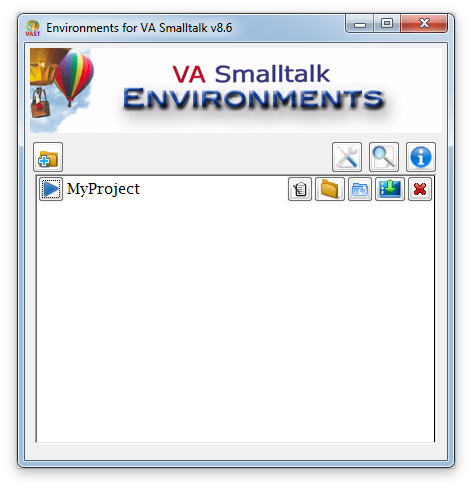
VA Smalltalk Environments looks something like this:
C:\Users\documentation\Documents\vastePublisher\stable\VAS Documentation Word\images\gs\EnvEnvironmentSelected.png
The picture above shows a single development environment named My Project.