This example shows you how to create DevelopChooser, set its prerequisites, define its group members, and specify access privileges. When you are done with the examples in this part, opening an instance of DevelopChooser displays:
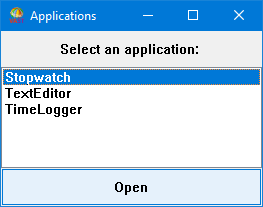
To create DevelopChooser:
|
1.
|
|
2.
|
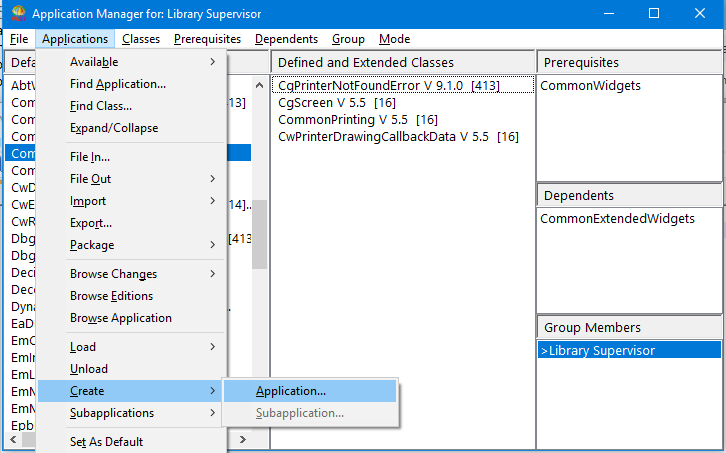
|
3.
|
Type DevelopChooser. If you share a library with team members who might also create DevelopChooser, you might want to add your initials as the first three characters of the application and class names. This will distinguish your components from other people's components.
|
|
4.
|
Click on OK. A window is displayed, asking you to select prerequisites for your application.
|
|
5.
|
|
•
|
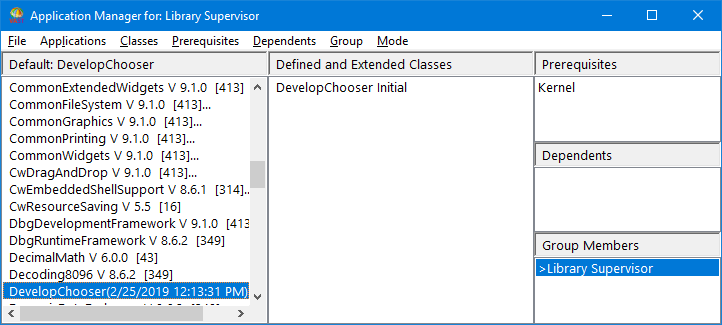
The list of classes has a new class called DevelopChooser with a version named Initial. This is the class name within the image that represents the application, and shares the same name. (You can browse the class from a Classes Browser.)
|
To complete DevelopChooser, you need to change the application prerequisites and then define classes and methods for your application.
