In Example: Defining the class Chooser, you created the class Chooser contained in the application DevelopChooser. After you create a new class and implement its methods, you should version and release it. After you create a class edition, the edition is visible to all members of your team who have read or write privilege to the component. Creating a version of your edition and then releasing it to its containing application promotes change control.
To create a version of the Chooser edition:
|
2.
|
Select DevelopChooser from the list of applications.
|
|
3.
|
Select Chooser from the list of classes.
|
|
4.
|
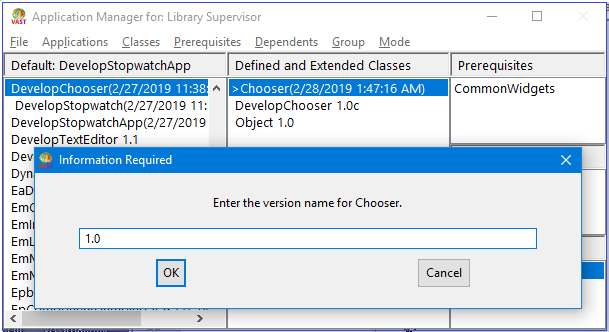
From the Classes menu, select Version > Name Each. A window opens, prompting you for a version name.
 |
|
5.
|
Select OK to accept the default version name of 1.0. The list of classes now displays Chooser 1.0, indicating that you have created a version of the class.
|
