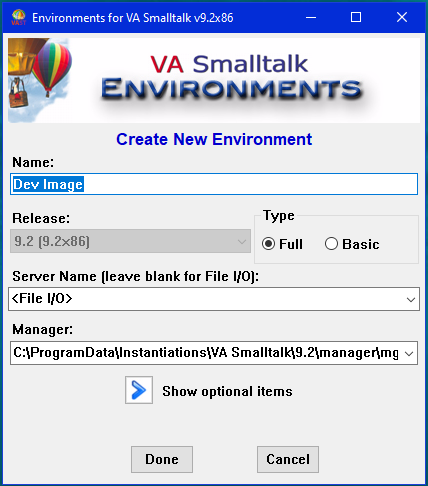
Creating a Development Environment To create a new development environment, or image, click on the icon showing a folder with a plus sign located just underneath the Smalltalk balloon logo. That will result a screen like the in the picture below. • Change the name to Getting Started • Change the tupe to Basic • and click Done. Your new environment is added to the list of development environments available in the Environments tool.