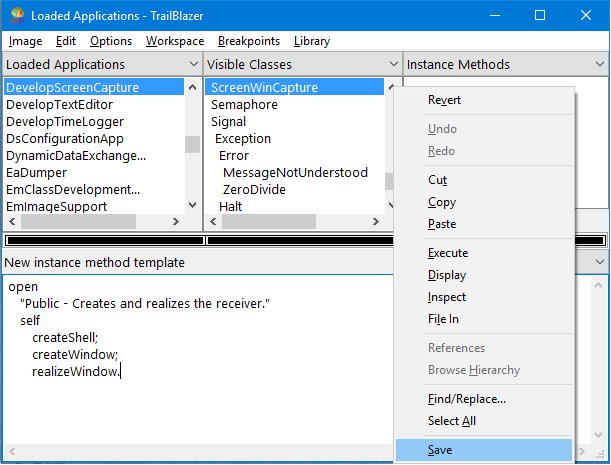
The example describes how to use the TrailBlazer to implement methods. The methods implemented define the interface for the screen capture tool DevelopScreenCapture and place a "grabbed" BMP file in a designated directory.
The tool has one public instance method and 29 private instance methods. To more quickly add these methods to the system, you might copy and paste them from this section in the online Smalltalk User's Guide. (See A shortcut: Copying code into a browser.)
|
1.
|
From the TrailBlazer browser named Loaded Applications that you have open, ensure that DevelopScreenCapture is selected in the list of applications (upper left pane) and ScreenPMCapture or ScreenWinCapture is selected in the list of classes (upper middle pane).
|
|
2.
|
Click on the down arrow to the right of the pane title Instance Categories.
|
|
3.
|
From the displayed list, select Instance Methods.
|

|
4.
|
|
5.
|
Position your mouse over the Instance Methods pane (upper right pane); then pop up a menu of available actions as to instance methods.
|
|
6.
|
From the pop-up menu, select Template. A new method template is displayed in the description pane.
|
|
7.
|