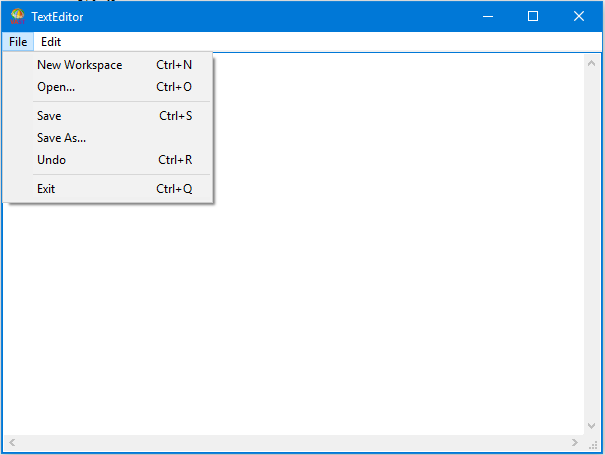
TextEditor has 49 private instance methods. Fortunately, many of the methods have only a few lines of code. Though you can implement them in any order, begin with getter and setter methods.
Private methods for category Getters & Setters
Method fileName
Method fileName:
Method mainWindow
Method modified
Method popup
Method shell
Method text
Method workRegion:
Private methods for category Initialization & Startup
Method initialize
Private methods for category Window Creation
Method createWindow
Method createMainWindow
Method createTopLevelShell
Method createShell
Method createMenuBar
Method createWorkRegion
Method createPulldownMenus
Method addPulldownMenu:
Method addMenuTo:label:
Method addMenuEntryTo:label:selector:
Method addMenuEntryTo:label:selector:clientData:
Method createEditMenuForTextWidget:
Method createFileMenu
Method createPopupMenu
Method addPopupMenu
Method createPopupCopy
Method createPopupCut
Method createPopupPaste
Method createPopupSave
Method createPopupUndo
Method realizeWindow
Private methods for category Event Handlers
Method accept:clientData:callData:
Method addValueChangedCallback
Method copySelection:clientData:callData:
Method cutSelection:clientData:callData:
Method newWorkspace:clientData:callData:
Method open:clientData:callData:
Method pasteSelection:clientData:callData:
Method popup:clientData:callData:
Method removeValueChangedCallback
Method saveAs:clientData:callData:
Method undo:clientData:callData:
Method updateTitle
Method valueChanged:clientData:callData:
Method windowClose:clientData:callData:
Private methods for category File Operations
Method readFileName:
Method showCursor:in:while:
Method showFontCursor:in:while:
Method writeFileName:
Now that you have all of the methods implemented for TextEditor, try opening an instance of the class using DevelopChooser or by evaluating: