You can draw text by sending the drawString:, drawImageString:, or drawText: messages to a CgDrawable object. As in all drawing operations, the first parameter passed to the method must be a valid graphics context. This graphics context will contain either a default font or the font you have loaded and set in the graphics context.
The drawString:x:y:string: method draws a string at a given point in the foreground color. Only the pixels for the characters are modified. Pixels between characters are left unchanged.
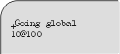 |
The drawImageString:x:y:string: method draws a string at a given point. The text is drawn in the foreground color and the pixels in the remainder of the rectangle containing the string are set to the background color.
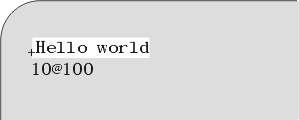 |
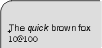
The drawText:x:y:items: allows multiple strings to be drawn at once. Strings are drawn in the same manner as drawString:. The background is left unmodified. Each string is specified by a CgTextItem object.
A CgTextItem object contains character, delta and font components. The char component specifies the string value, delta represents the horizontal offset from the previous item and font represents the font to be used in the drawing operation. The font component is optional. If it is specified, the font in the graphics context is changed and the string is drawn in the new font. Otherwise, the string is drawn in the current font. The CgTextItem must be provided with at least the char and delta information. These values can be set individually, with chars:, delta:, or font:, or simultaneously, with chars:delta:font:.
 |
