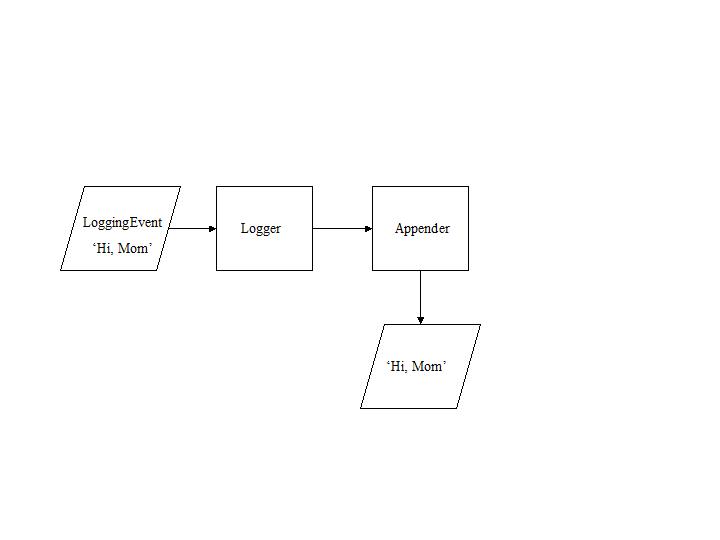
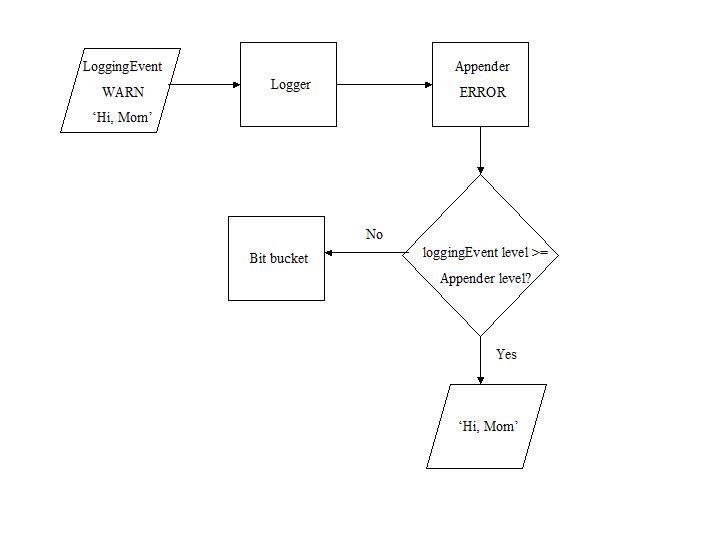
The most basic form of logging is to 'log' a message on some output device or destination, such as a file. In log4s, an EsLoggingEvent is the entity which is logged. In the figure below, an EsLoggingEvent containing the message 'Hi, Mom' is sent to an EsLogger which then asks its EsAppender to log the message.
A logging event is an instance of the class EsLoggingEvent. Every logging event must have a message, a creation timeStamp, and a level. Optionally, it may also have the name of the class and method that created it and a wildcard object that can be anything at all.
The creation timeStamp by default is in the time zone of the operating system. You can force the timeStamp to be recorded in a different time zone by using the timeZoneOverride parameter (described below) in the ini file.
A logger is an instance of EsLogger that has a case-sensitive name and has one or more Appenders. The log4s framework always has one rootLogger named 'root'.
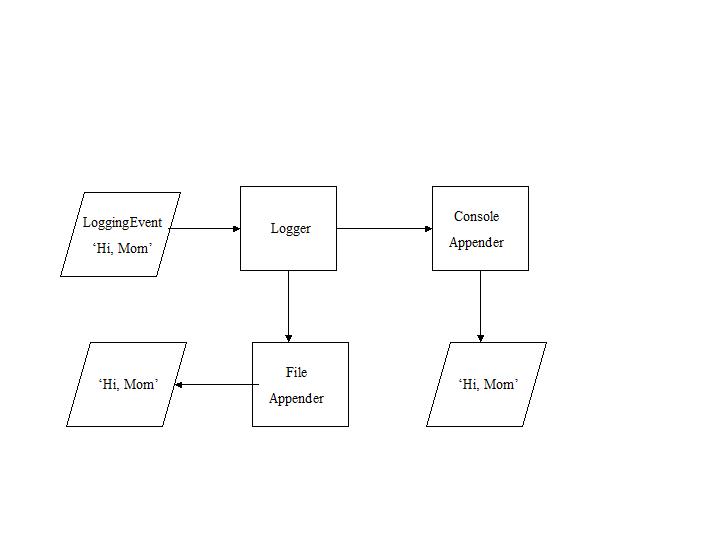
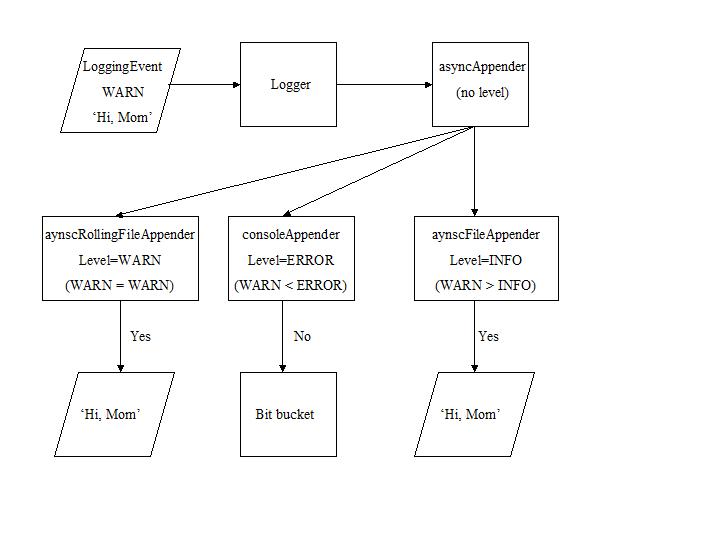
It is just as uninformative to get too many events in a log as too little. Levels and filters allow a user to specify what is of interest by characterizing the severity of the event, by noting the context in which an event is of interest, or by evaluating an event against some criterion.
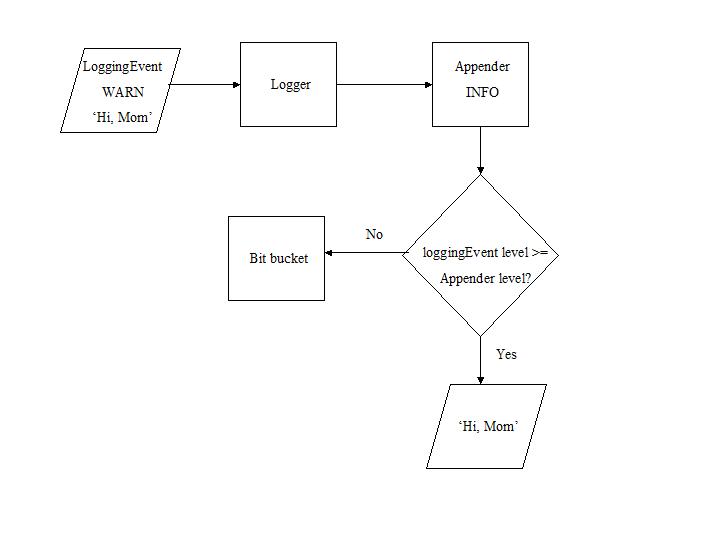
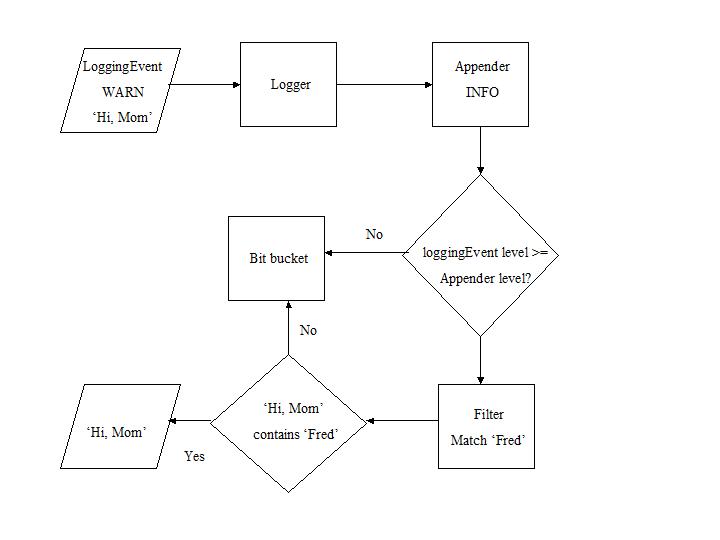
The logging event in the diagram above passes the level check of the appender, but it will not be logged because it does not pass the stringMatchFilter which requires that the message of the logging event ('Hi, Mom') includes the string 'Fred'. Once again, notice that the event must satisfy both the level and the filter to make it into the log.
|
•
|
ClassNameFilter - filter out logging events whose className does not match. The comparison is not case sensitive.
|
|
•
|
LevelMatchFilter - filter out logging events whose level falls below a single level.
|
|
•
|
LevelRangeFilter - allow through logging events whose level lies within a range of levels.
|
|
•
|
StringMatchFilter - filter out logging events whose message does not match a string. The comparison can be made case insensitive.
|
The filter normally returns an Accept when the logging event matches the filter criterion. However, the user can specify an Accept for logging events which differ from the filter criterion. Accepting logging events which match or differ from the filter criteria is controlled by an instance variable acceptOnMatch, which defaults to true.
