Getting started : System architecture : Saving an image to keep components loaded : Using the Save Image option

Using the Save Image option
To save your image, follow these steps:
1.
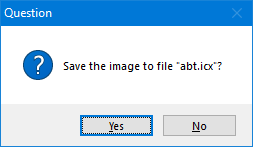
From the File menu, select Save Image. The following window opens, prompting you to confirm the request:
C:\Users\documentation\Documents\vastePublisher\stable\VAS Documentation Word\images\tparcs01.gif
2.
Select Yes to save the image or No to cancel the request.
When you select Yes, the system saves to the file named abt.icx located in the directory on your workstation where most of your product files reside.
