Select Modify Instructions to display the instruction modification window. To add applications to the packaged image, use the Applications and ICs tab.
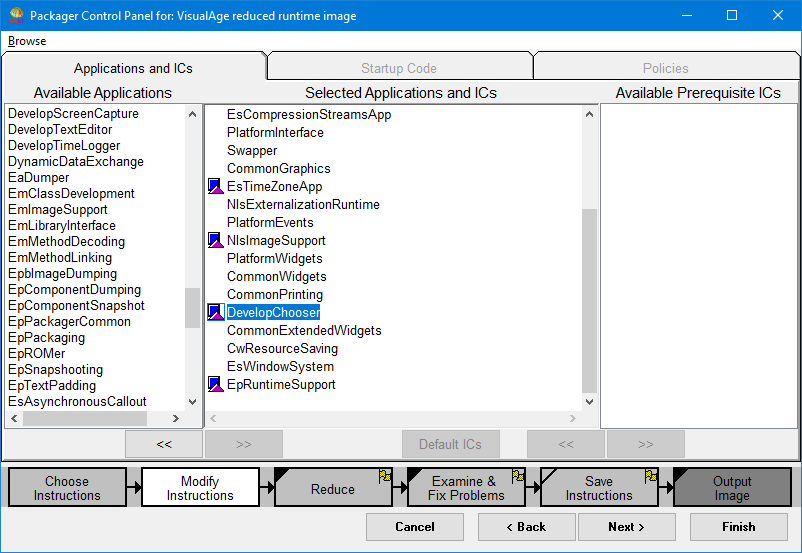
The tab has three panes: the left pane lists the available applications that can be packaged; the center pane lists the applications that have been selected to be packaged; the right pane lists the available applications that the packaged image can use. To add your application to the selected applications, select it from the list of applications in the left pane and then press the >> button to move your application to the center pane.
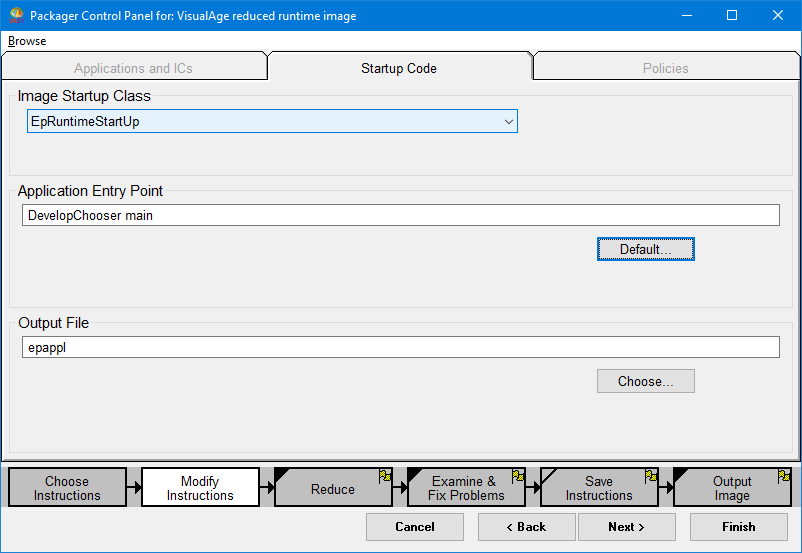
Supply your application launch code by selecting the Startup Code tab. The launch code is a Smalltalk expression that launches your application when the image starts. It is typically like the following:
In the Startup Code window, enter the launch code into the Application Entry Point field. To rename the file name of the packaged image from its default, epappl, specify a new file name in the Output File field.
Note that when you complete the Modify Instructions step, the yellow flag is removed from the upper right corner of the procedure step at the bottom of the window.
When running on UNIX, you may find it convenient to modify the default specification for "packagingRootDirectory" to indicate a writable subdirectory of your #startUpDirectory. For example by changing packagingRootDirectory is in the [Packaging] stanza of the.ini file to something like packagingRootDirectory=./pkging .
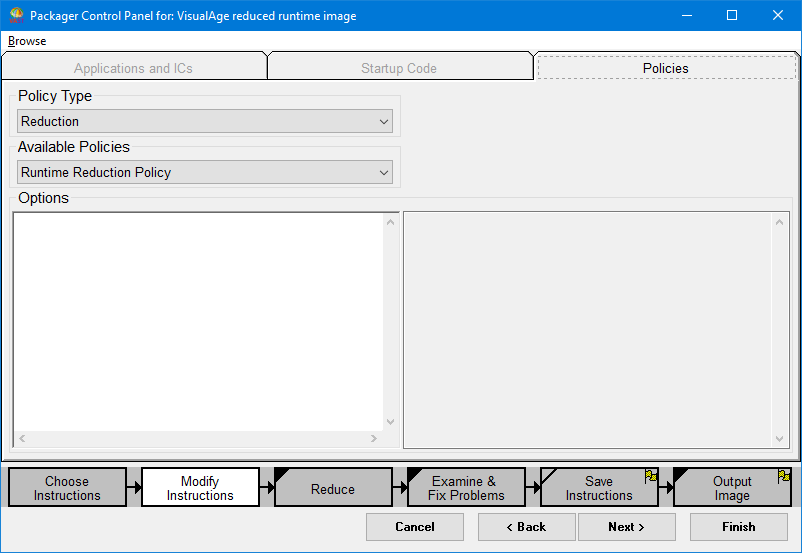
You can modify the policies used in your packaging instruction by selecting the Policies tab. On this tab, you can change the reduction policy, statistics policy, dumper policy, problems policy, and the rule policy. Enter a class name or accept the default policies supplied. You can also alter the Options, which the system applies when reducing the image size. Note, however, that it is not usually necessary to modify these settings. You might change these, however, if you are creating a new packaging instruction that you want to save.

The default is for any policy changes you make to apply to packaged executable files. That is, Runtime Reduction Policy is the default. To specify policy changes for ICs (see Packaging with image components (ICs)), select Image Component Reduction Policy from the Available Policies drop-down list.
