Packaging, unloading, and analyzing code : Simple packaging : Running the packager : Starting Application

Starting Application
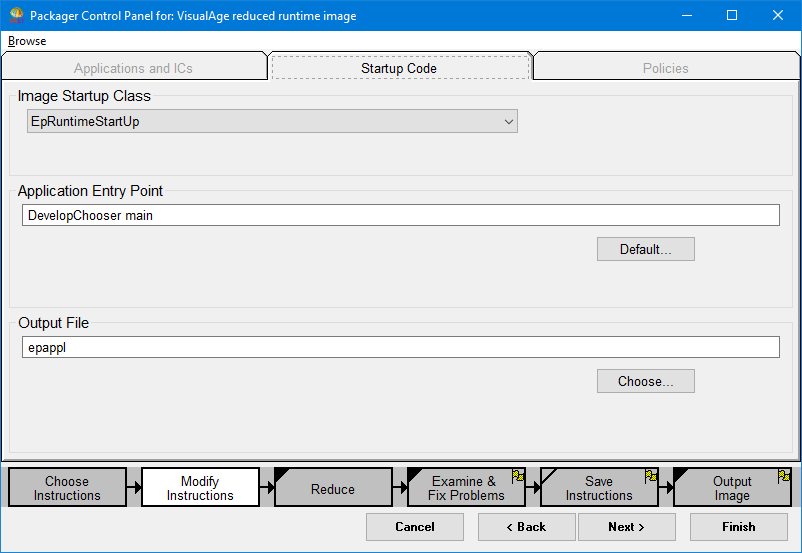
The Packager has a Control Panel to set which class starts the packaged image, what code is run to start the packaged image (aka. reduced runtime image) and what the image (aka “output file”) should be called. The browser below allows you to customize this.
For instance, you could change the “output file” to be chooser.icx. Chooser being more indicative of the application and .icx to indicate the outpout file is, in fact, a VA Smalltalk image.
C:\Users\documentation\Documents\vastePublisher\stable\VAS Documentation Word\images\sg\pcp_prob.png
You can get to this panel from the Transcript by
1.
Selecting Tools > Browse Packaged Images
2.
3.
In the leftmost list pane, select DevelopChooser and use the >> button to move it to the right.
Notice DevelopChooser has an icon to the left of it. This indicates the application will be part of the runtime package
Notice DevelopChooser is selected. This indicates it plays a part in starting the runtime package.
4.
Notice DevelopChooser the Application entry point is DevelopChooser main.
Notice the Output File is epappl. This is a VA Smalltalk image file even though the .icx file extension is missing.
