This example describes how to package the application DevelopChooser, which you created when completing the steps beginning in Example: Creating the application DevelopChooser. It assumes you have gone through the steps of making a Configuration Map named Chooser Map for the application.
Before beginning the packaging process, you must specify how to launch the stand-alone program which is the result of the packaging process. See Example: specifying launch code.
|
1.
|
Open a Configuration Map Browser, select the Chooser Map and the loaded version.
|
|
2.
|
Select Package > Package then Browse Problems (or Browse Problems then Package) from the Editions menu to start the packaging process for the selected application.
|
Create New Instructions" for a "VisualAge reduced runtime image" (If you are in an IBM Smalltalk image, the packager deduces "IBM Smalltalk reduced runtime image".)
From the leftmost list of "Available Applications" select DevelopChooser and use >> to move it to "Selected Application" list.
Since DevelopChooser has already startup code that launches your application, the packager does not prompt you for that code. Any problems found during the packaging process are reported before the application is packaged.
If that code is missing, type in the Smalltalk expression Chooser new open as the Application Entry Point then select OK.
Click on “Examine & Fix Problems”.
Not all errors will prevent the application from launching. After you examine the errors, you can choose to Cancel or proceed with the packaging.
as class: ChooserPackagingInstructions
in application: DevelopChooserPackagingInstructions (must be an open edition)
Click Save. Notice the save button becomes disabled when there is nothing to save.
|
6.
|
Click Finish.
|
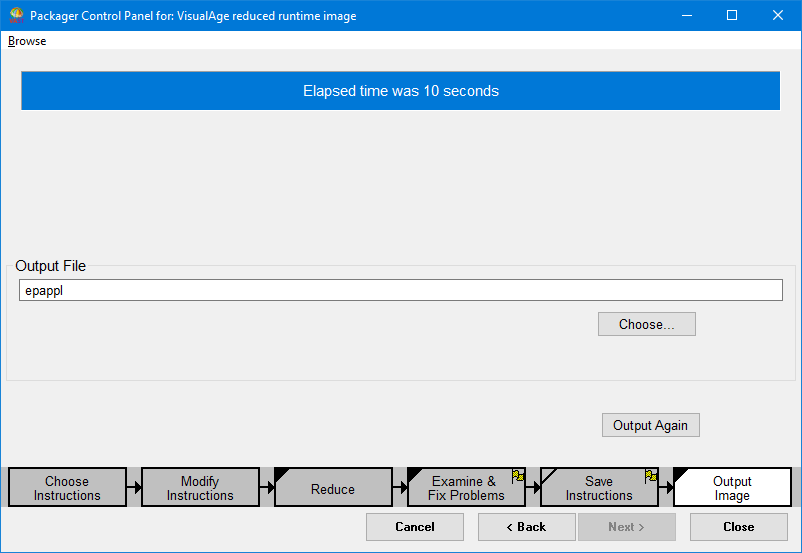
|
1.
|
Open an Application Manager and select the DevelopChooserPackagingInstructions, the application in which the packaging instructions were stored.
|
|
3.
|
Load the class in which the packaging instructions were stored, ChooserPackagingInstructions (Classes>Load>Another Edition).
|
|
5.
|
Save the image.
|
The instructions will now be available to the packager whenever the DevelopChooserPackagingInstructions is loaded into the development image.
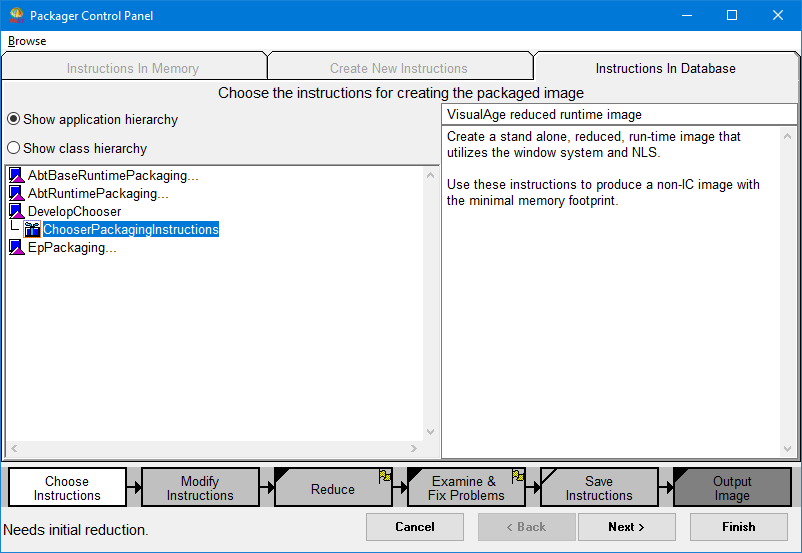
To see how the packaging instructions can be accessed from the packager, open the Packager from the Transcript by choosing Browse Packaged Images from Transcript Tools pull down menu.
|
•
|
switch to the Instructions in Database tab,
|
|
•
|
double click to expand the DevelopChooserPackagingInstructions application, and
|
|
•
|
select ChooserPackagingInstructions.
|
|
•
|
Load the Configuration map Chooser Map from a Configuration Map
|
|
•
|
Load the packaging Instructions DevelopChooserPackagingInstructions from an Application Manager
|
|
•
|
Now, from a Configuration Maps Browser select Chooser Map then choose. Editions > Package > Browse Problems then Package.
|
|
•
|
