|
2.
|
From the Folders menu, select Add and then specify a folder name. A folder name can be any length and can contain any printable character, including spaces and punctuation.
|
|
3.
|
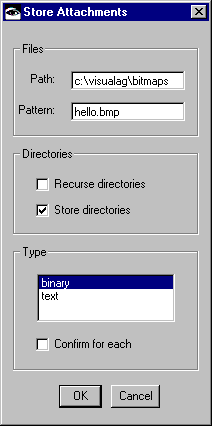
After an emply folder is shown in the Folders pane, select the folder and then select Store from the Attachments menu.
|