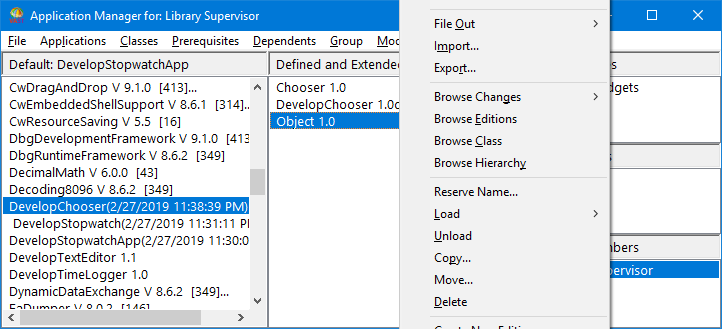
In Example: Extending the class Object and Example: Adding the method needsMoreWork to your class extension, you added a class extension to the application DevelopChooser and implemented a method in the class extension. The class extension and method are not essential for proper functioning of DevelopChooser. This example shows how to delete the extension of class Object, which also deletes the method needsMoreWork.
|
2.
|
Ensure that DevelopChooser is an edition. If it is a version, select DevelopChooser; then select Create New Edition from the Applications menu.
|
|
3.
|
From the list of applications, select DevelopChooser.
|
|
4.
|
From the list of classes, select Object.
|
|
5.
|
|
6.
|
Select Yes to confirm. The extension of Object and its method are deleted from DevelopChooser and removed from your image.
|
