Display the source code of the next method. It takes you into other methods and objects.
Execute the message that is sent next without displaying the method's source code. It skips over the messages used to the next message in the method.
Execute the code and stop only if an error is found in one of the messages in the message stack. This is the fastest way to step through code. It stops only at a return statement in a method.
Resume (or Stop)
You can try each one of these out from the debugger opened in Adding the message halt. To begin, select UndefinedObject>>#Doit from the stack. The message halt is highlighted in the description pane with the statement add: 'Alix' below it. Select Into. The statement add: 'Alix' is now highlighted with UndefinedObject>>#Doit the top of the stack.
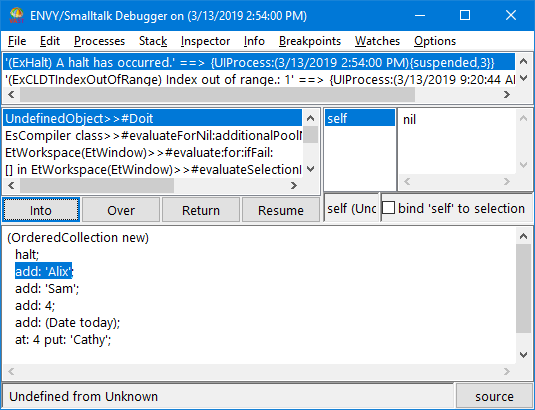
If you continue selecting Into, the debugger steps through a series of messages. After it executes the methods used for add: 'Alix', it returns to UndefinedObject>>#Doit. The next statement, add: 'Sam', is now highlighted.
Next, select Return. This highlights the entire expression that you evaluated.
Finally, select Resume. The code executes and the debugger closes.
