A Dictionary Inspector supports menu options in addition to those offered in other Inspector windows. Using the menu options Add Key or Remove Key you can change the number of keys in the dictionary.
|
1.
|
|
2.
|
The key is added to the dictionary with a value nil. Replace the value nil with a string such as 'Steven', and then save the change.
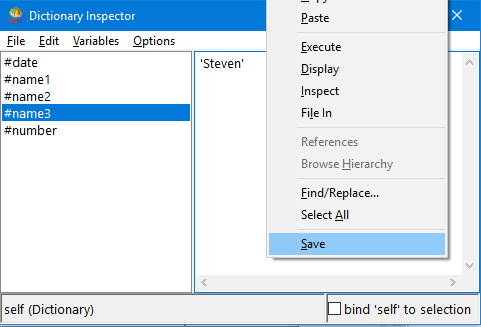
Now, when you evaluate self inspect in the value pane, the string 'Steven' appears as an object in the dictionary.
To remove the string 'Steven' from the dictionary:
|
1.
|
|
2.
|
In the displayed prompter, select Yes to confirm the removal.
|
The value for self displayed immediately after removing a key shows that the string 'Steven' is no longer in the dictionary.
