About this book

About this book
This guide helps you use the VA Smalltalk core development environment.
VA Smalltalk enables you to quickly make client/server applications.
VA Smalltalk makes you more productive by providing interactive visual programming tools and a set of parts that represent the client/server spectrum. You create applications by assembling and connecting parts. In many cases, you do not even have to write code.
If you do need to write code, VA Smalltalk provides a state-of-the-art, integrated development environment. The programming language you use is Smalltalk, an industry-standard, highly productive, pure object-oriented language.
VA Smalltalk provides a purely object-oriented, state-of-the-art application development environment for developing Smalltalk applications within VA Smalltalk. With VA Smalltalk, you can rapidly develop graphical client-server applications for the Microsoft Windows, IBM AIX, Sun Solaris, and Linux operating systems. VA Smalltalk core development environment consists of the following components:
This guide concentrates on the set of development tools, including the numerous browsers offered to facilitate such operations as the following:
VA Smalltalk users will find full access to all of the Smalltalk development tools described in this guide. Thus, you can enhance and extend VA Smalltalk applications using the Smalltalk development environment.
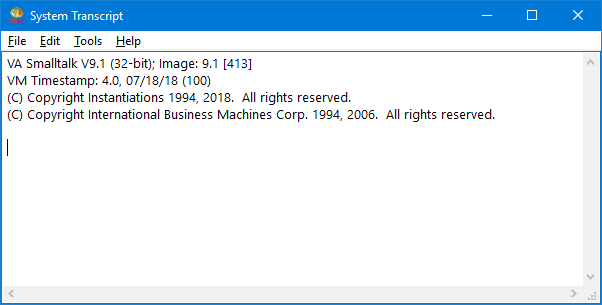
The development environment consists of tools and operations available by using options in the File, Edit, and Tools menus of the System Transcript window, which is the first window that opens when you start up the product. If you are using VA Smalltalk, you can also access many of these tools and operations through the Organizer.
tpabt002
This book helps you to complete and deliver applications. It is divided into several parts:
Getting started
This part provides introductory material on the VA Smalltalk Core development environment. It also explains the concepts that support team programming.
Making your own applications
This part explains the process of creating Smalltalk applications. Several examples are included.
Inspecting and debugging code
This part describes two important tools, the Inspector and the Debugger.
Handling software components
This part discusses moving, deleting, filing in, and filing out components.
Handling team software components
This part gives detailed information on how to handle software components in a team environment. Topics include version control, releasing, and defining lineups for multiplatform components.
Performing team system administration
This part includes topics such as library operations and crash recovery.
Packaging, unloading, and analyzing code
After your application works, you package it to prepare it for distribution. This part explains several packaging strategies. This part also covers the Swapper, a high speed object loader/unloader. Also covered are tools for monitoring memory and analyzing code performance.
Setting up, customizing, and extending the system
This part gives you information on setting up the product and on fine-tuning your development environment.
This guide does not cover VA Smalltalk parts-specific aspects of the development environment. If you are using parts, you will find that you can use the Organizer to perform many of the operations covered in this book. It is still worthwhile to read this guide, however, because all of the concepts described in the guide apply to the visual programming tools as well as the VA Smalltalk Core development environment.
