Verbs are actions that a container can ask an OLE object to perform. The names of the verbs that an OLE object can execute are registered with the object in the system registry. All OLE objects have one verb designated as the primary verb, which in most cases is Edit. Other common verbs are Open, Show, Hide, and Play.
When an OLE object is activated in its container by double-clicking on the OleClient widget, it is the primary verb that is invoked on the OLE object. Therefore, if the Edit verb is the primary verb, on activation, the server opens for editing on the OLE object. Verbs can also be invoked programmatically through the doVerb: method of OleClient. The parameter to this method is the name of the verb to execute. For example, a contained OLE object can be activated for editing using anOleClient doVerb: 'Edit'.
The doVerb: method can also take as a parameter a constant representing the most common verbs that most OLE objects support. For example, the edit verb could also be invoked using anOleClient doVerb: XmVERBPRIMARY.
The standard parameter values for the OLE doVerb: include the following:
The OLE user interface guidelines suggest that a container provide access to an object's verbs from a cascade menu off its Edit menu. The container must dynamically change the contents of the cascade menu depending on which OleClient widget has the current focus. The guidelines also suggest that the label of the cascade menu change to reflect the name of the object that the verbs apply to.
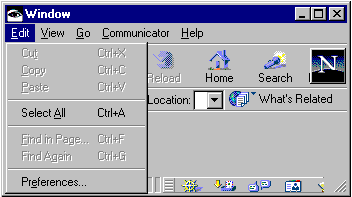
To help build a dynamic verb menu, the OleClient class provides these instance methods:
Answers a String representing the type of contained OLE object
These methods provide sufficient information to build the dynamic verb menus of a container application. As an example, suppose the Edit menu of an application is created as a simple pull-down menu using the following code:
createEditMenu: menuBar
In this example, the last item on the menu is a cascade button that is used to attach the verb menu to. The verb menu must be disabled if no OleClient widget has focus. Hence, the XmNmapCallback callback calls the enableVerbs method to build the verb menu if appropriate. The enableVerbs method first checks for the existence of an OleClient with focus and, if it finds one, proceeds to build the verb menu:
The cascading verb menu is built in the addObject:verbs: method as follows:
addObjectMenu: objectType verbs: verbNames
Notice in this example that one additional menu item, Convert, is attached to the bottom of the verb menu. This item provides access to the standard OLE Convert dialog, which allows you to change the display aspect of the OLE object from its content display to its icon display and conversely.
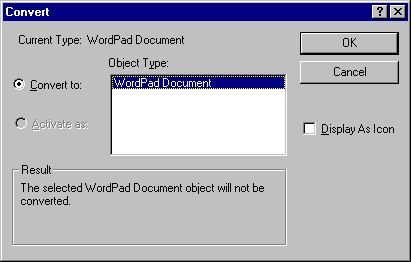
This dialog is easily invoked on an OleClient widget through its promptConvertObject method. For example:
The promptConvertObject method answers true if the display aspect of the OLE object changed. If it did, the OleClient widget's display was already refreshed to reflect the new aspect.