|
1.
|
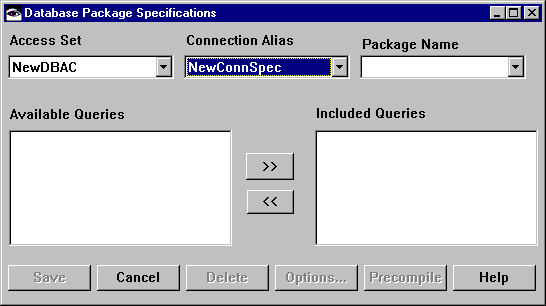
On the Query Specifications page of the Multi-row Query settings, select the Package Specs... button. This opens the Database package specifications window.
 |
|
2.
|
From the Access Set drop-down list, select an access set.
|
For the sample application, select SampleDatabaseAccessSet.
|
3.
|
From the Connection Alias drop-down list, select the Connection specification for your application.
|
For the sample application select SampleConSpec.
|
4.
|
In the Package Name field, type a package name.
|
For the sample application, type SampleDatabaseStaticPackage.
|
5.
|
Select Save. A package spec must be saved before you can precompile it. The last saved version of the package is precompiled. See Precompiling static SQL for information on precompiling your package spec.
|
|
6.
|
On the Multi-row Query settings window, select the Package Name for the package you created, then select OK. The queries for the Multi-row Query part are added to the package.
|